
Keystroke Alerts Pro
Automation that makes you more productive, with less effort.
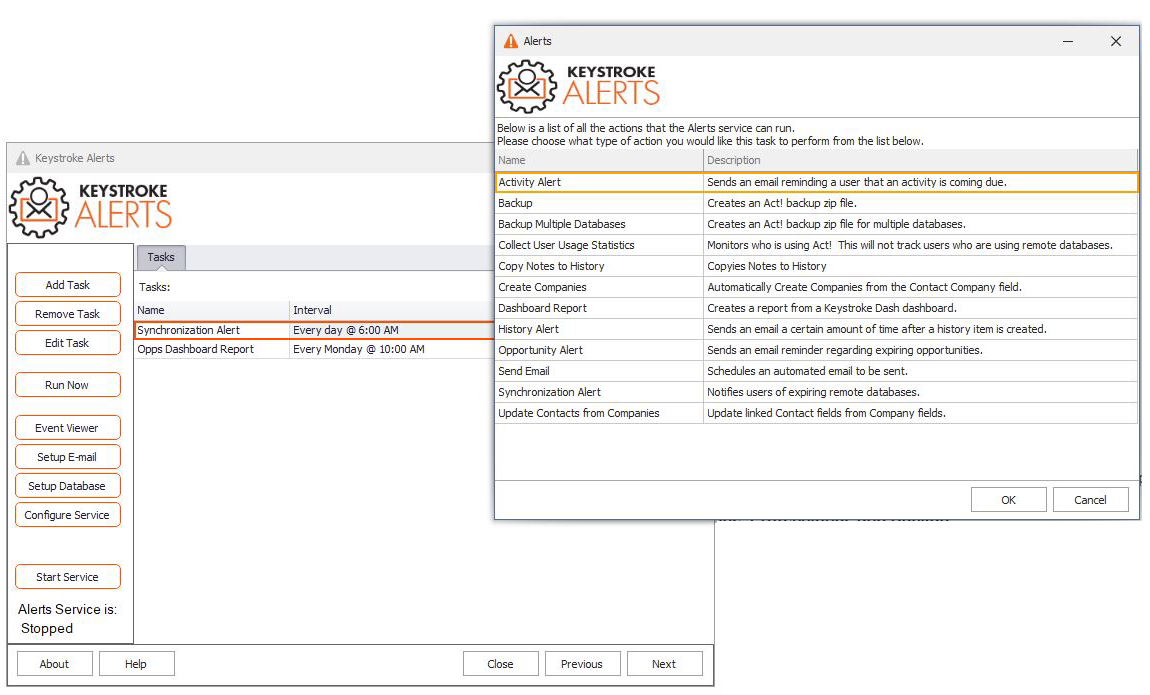
This server-based program monitors activities, histories, opportunities, backups, and synchronisation for all users in your main Act! database. Also sends scheduled customised email notifications, and Keystroke Dash reports (sold separately) to one or more recipients automatically.
NEW! Annual Events NotificationsNever miss another Birthday or Anniversary again! Alerts can now be configured to send email greetings, and copy the user as a reminder. |
Opportunity AlertsNotify the record manager of an expiring opportunity |
Reliable BackupsCreate backups for one or more databases and configure to alerted with each success and/or failure |
Create CompaniesAutomatically schedule the creation of Companies from the Company field |
Dash Report & DeliverySchedule an automated Dash report to be created and delivery at a recurring time and date. |
Update Contacts from CompanyKeep your CRM data up to date by using Alerts to force Contact updates from the companies they’re linked to. |
History AlertConfigure a notification to be sent every time a particular History type is recorded in Act!. |
Sync AlertsAlert your Admin of any databases that are scheduled to expire based on no sync activity |
Scheduled Designer ImportsSchedule regular Keystroke Designer (sold separately) imports into your database based on a recurring schedule of your choosing. |
Activity AlertsConfigure Alerts to send an email alerting all parties of a pending activity they’re involved in. This feature has been completely rewritten to support better activity filtering, as well as customized messages with merge fields for a more personal touch. |
Why Keystroke Alerts is right for Act! users
Customized Alerts
- Be reminded of your selected critical activities.
- Improve communications with team alerts.
- Never miss an opportunity.
- Choose the activities and opportunities that are important to you.
- Determine the content and define conditions of your notifications.
- Send emails through SSL/TLS SMTP email servers
Automated Reports
- Receive and share important dashboard reports without a click.
- Schedule once and you’re done.
- Guarantee on-time delivery of your reports.
- Spend more time selling, less time reporting.
- Schedule the delivery of Dash reports to one or more recipients (Dash sold separately)
Automated Imports
- Use Alerts Pro or Enterprise to automate regular imports of data into Keystroke Designer tables (Designer sold separately). Great for customers with regular spreadsheet updates they need brought into Act!
For the host computer of a single database. (GST added at checkout for AU/NZ customers).
The Enterprise version is $440 AUD plus GST and supports multiple databases. Please note that upgrading Act! may require the purchase of a new version of this add-on.
