

Many small businesses invest their time, money, and resources into adopting a new CRM system only to realise 6 months later that it’s not being used as intended. With reports showing that CRM can improve a team’s productivity by 50%, how do you as a business owner get these results?
CRM can improve a team’s productivity by 50% and reduce customer service labour costs by 40%. So how do you, as a business owner get these type of results?
Many small businesses invest their time, money, and resources into adopting a new CRM system only to realise 6 months later that it’s not being used as intended. Even though your employees should be thankful that you have given them a tool to make their life easier, it can appear as more work that takes them away from the task at hand.
Whether your team is new to Act!, you have had it installed for years, or have had new members join the team, here are our top 7 tactical tips to help ensure that all your team get on board with Act!.
1. Explain the benefits of Act!
As a business owner, you understand that you need a CRM to grow your business, increase staff productivity, improve customer service and make it easier for you to track and analyse performance. But from an employee’s perspective, these benefits aren’t terribly motivating. Your team need to understand why using Act! will be better for them. Explain not only how Act! is going to benefit the company, but how it will make their job easier. Here are some areas where Act! will help your team:
- Manage their daily responsibilities so they have confidence that nothing is forgotten.
- Gain easy access to all prospect/customer details and correspondence as Act! provides a central location to store and share data.
- Spend less time on procedural tasks so they can focus on more important things.
- Meet sales quotas by guiding their deals through to close.
- Provide an easy way to visualise sales forecasts through charts and reports.
2. Teach them how to use Act!
If a CRM takes too much effort to learn and use, your staff will resist incorporating the extra work into their already busy lives. If you make it easy for them to get their jobs done, it will help to achieve rapid end user adoption.
Unfortunately, we often find that after Act! has been implemented, management simply want to hurry up and get everyone using Act!. They overlook training as they believe everyone is busy and since Act! is so easy to use, they can learn themselves.
Whilst Act! prides itself in being intuitive and easy to use, don’t assume that your staff will know how to use it without any training. Providing your team with proper training is one of the most critical parts of a CRMs success. (IBM1 reported that after receiving quality training, 71% of companies reported high active use of their CRM.)
Start with the basics and get them comfortable performing daily tasks and tracking interactions. Then introduce more functionality in stages to grow their confidence and empower them with more advanced Act! features. Additionally, provide training on how you want your staff to use Act! based on your system processes. If you have had customisations and additional features added, explain how these are to be used and why.
We also suggest getting your whole team in on the training, including management. Managers that are using and supporting Act! will help to influence employees. Plus if your sales staff know that the ‘boss’ is able to easily see their activity and results, they will be more inclined to enter information. Before you know it, your team will be capable of using Act! to its full potential. See Act! Training services for more information on how to train your team.
3. Keep it simple
A big mistake a lot of businesses make when implementing a CRM system is that they make it too complicated for employees to use. Whilst entering data into Act! is vital for gathering customer insight, updating Act! can be a time consuming responsibility that takes time away from interacting with customers and prospects. Keep data entry simple and try to not add unnecessary fields for people to fill in.
To begin with, just record the basic contact information along with when and what they last spoke about. It’s also a good habit to schedule in your next action such as a follow up call or email. Then, when users (or a junior) have a bit of free time, they can look up all the new contacts created in the past week and use the Web Info tab to add more information. See other clever ways to use the Web Info tab.
4. Provide them with tools
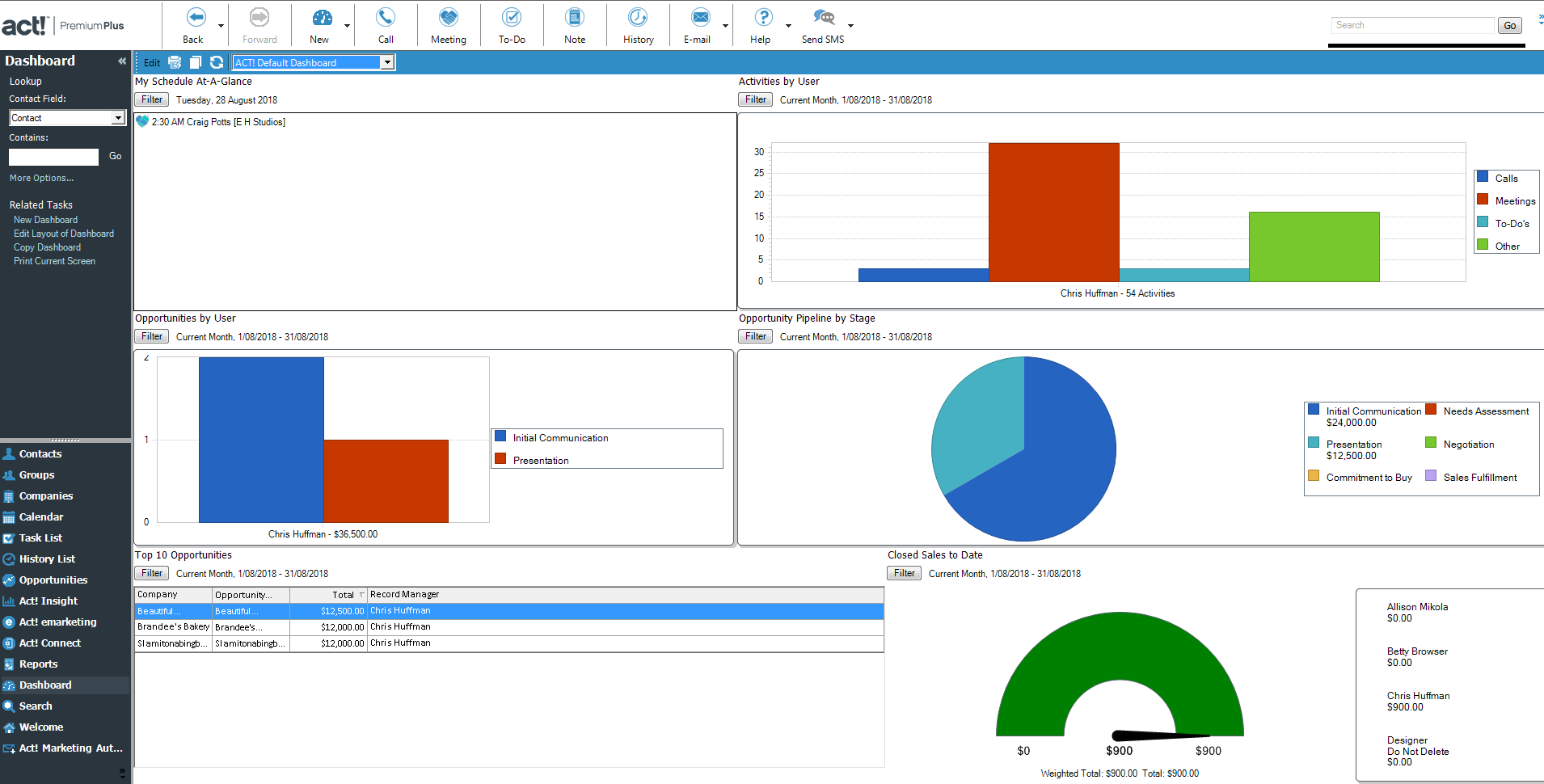
Act! comes with lots of great reports and interactive dashboards that are very accessible and easy to use. These tools allow your staff to be more efficient and collaborative, gives them visibility to loads of useful data and empowers them with information. Act! Dashboard With over 40+ pre-formatted reports, users can easily view, share and analyse information about contacts, opportunities, activities, calendars. In just a few clicks, your team can produce reports to take into sales or management meetings, based on live data. For example; What did Sales Rep A do last week? What are the top sales opportunities? Are we going to hit our sales target this quarter?
The Act! Dashboard delivers a more visual display of key Act! information like Activities and Opportunities. Users can drill down into the information and take further action directly from the dashboard, so they can start their day effectively and work more efficiently.
5. Enable easy access
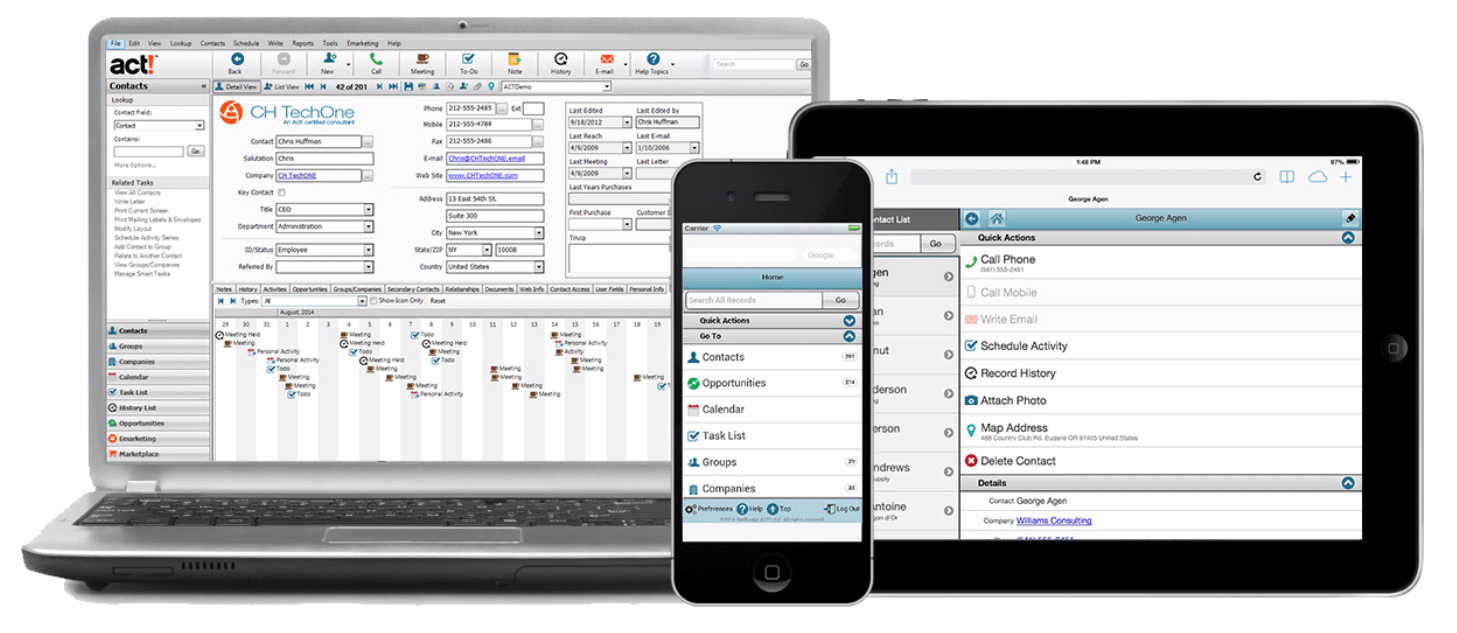
Getting sales reps to enter data into Act! is a challenge. They don’t want to be stuck at their desks doing data entry so consider a mobile option to make it simple for them to enter data from anywhere.
Having Act! on a mobile device means that reps can update on the go, add notes, tasks and meetings so that it’s already there when they get back to the office. And because it’s shared in real-time, your whole team can see the new interactions with your customers. Along with encouraging user adoption, this can really help improve your customer service. Additionally, given that “65% of companies that are using a mobile CRM solution are meeting or exceeding their current sales quotas”1 going mobile could also grow your bottom line.
There are several options for accessing Act! on your mobile device whether you use Apple or Android. See our Act! Mobile options.
6. Add some integration
A CRM solution that easily integrates into the existing daily work routine aids user adoption. Act! easily integrates with other tools that you use in your business such as Microsoft Office and popular accounting solutions like MYOB, Quickbooks and Xero. You can also connect Act! Premium with 100’s of popular apps such as Outlook, Google Contacts, SurveyMonkey, Eventbrite, Slack, PayPal, Wufoo, QuickBooks Online, and more. With so many integration options available, users continue to work with applications they already know, reducing the learning curve.

7. Have help on hand
Educate your team on the procedure to get help with Act!. Assigning one person in your team to be the Act! Champion provides a main point of contact for all questions and issues that the team may encounter. They can potentially identify and resolve any issues quickly or alternatively escalate it to their support contact. See Top 4 reasons why you need an Act! Champion.
With our Act! Support Plans, you have a dedicated technical expert on hand who knows and understands your environment so you can get answers fast. Additionally, you receive unlimited phone and email support so you don’t have staff on idle when something is not working or they don’t know what to do. Make a record in Act! to record your Act! Support contact details so if the Act! Champion is not available, all users know where they can go for help.
You can also use the Act! Support contact record as a ‘go to’ resource by adding helpful information into the Notes tab such as links to blogs, videos and knowledgebase articles. If your team know they can get help when they need it, they will be reluctant to give up and resort back to their old way of doing things.
If you need help getting your team to use Act!, our expert trainers provide training in all areas, either on-site or online. See Act! Training.
For more information about this topic or anything else related to CRM, please feel free to contact us on 1300 362 046.