

If you’re not on the latest version of Act!, you’re missing our game-changing innovations and modern enhancements on the next-generation platform.
What’s new in Act! v23
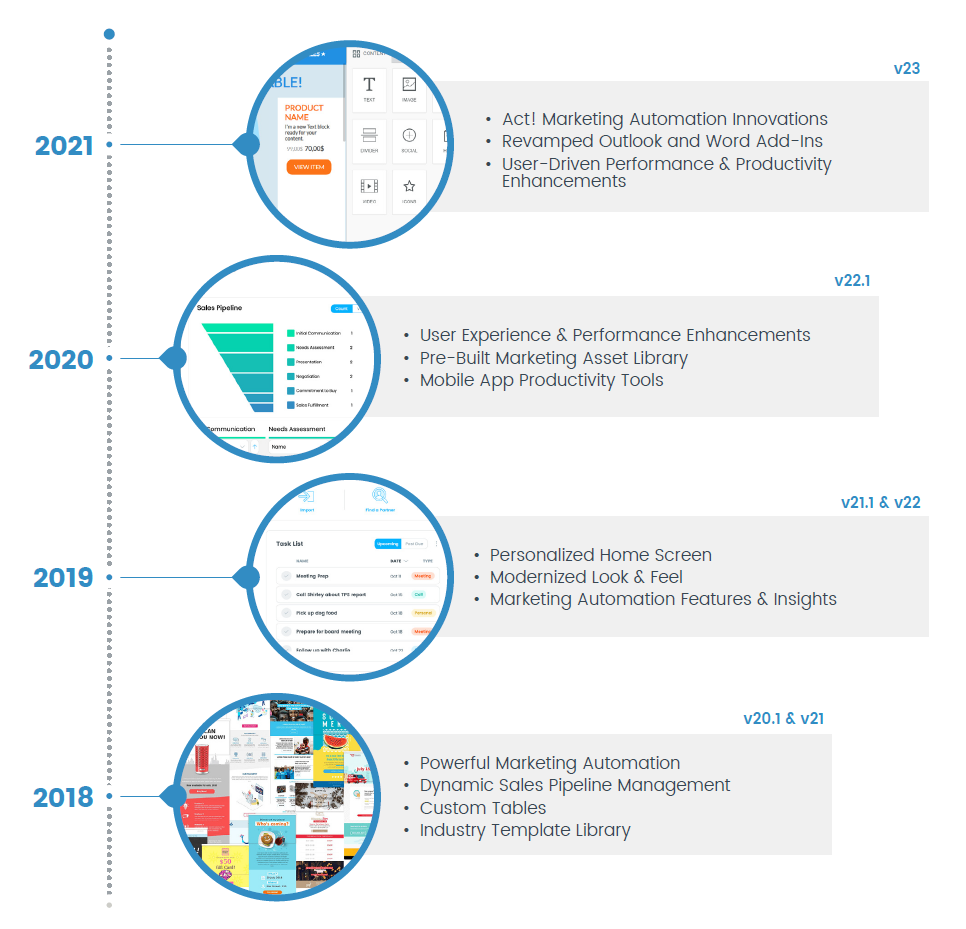
Act! v23 delivers performance and usability enhancements across the solution, designed to streamline and optimise the user experience to ensure maximum productivity.
This new version of Act! delivers numerous targeted improvements to high-usage areas, based on extensive input and validation from Act! customers and partners across the globe.
Rigorously vetted and market-tested, Act! users can upgrade with confidence to v23 and realise the benefits of a revamped Outlook Add-in, a new Word Add-in, innovations in Act! Marketing Automation, and more.
Along with improved quality and enhancements throughout the product, Act! will also be supporting the Act! E-Marketing end of life initiative with the removal of AEM references and navigation routes in the v23.0 release for both Desktop and Web.
Finally, the v23.0 release will include support for our recent rebranding efforts with the removal of in-product references to Swiftpage, updated copyright strings and iconography.
Act! v23 delivers the features and improvements detailed below:
Outlook Add-In Enhancements
- Activity Settings
- UI/UX improvements for adding a Contact to an Activity.
- All Day checkbox disables Activity start/end time fields, making it Timeless.
- Meeting location visible in Act! when Outlook invite accepted.
- Email History
- History now properly records for Contacts with custom email fields.
- Email history no longer records as “Call Attempted” and now accurately displays “Email sent”.
- UI/UX Improvements
- User icon replaces checkbox when adding a contact to an activity.
- Opening an email history with an attachment no longer opens the email in an editable state in Outlook.
Redesigned Word Add-In
- Completely re-designed Word Add-In
- Improved performance with the utilisation of the Act! API instead of our SDK (previous add-in utilized SDK).
- Targeted Parity of High Usage Workflows from Previous Add-In
- Modernised styling and icons.
- Supports 64-bit Microsoft Office
Act! Marketing Automation Enhancements
- Preference Center
- Fields in Act! can be updated based on customer selections allowing them to choose which of your campaigns they would like to unsubscribe from rather than unsubscribing from all.
- Unsubscribe Center
- Gives the user the ability to create multiple templates for unsubscribe pages, for example this could be used to create unsubscribe pages in multiple languages, or for separate brands within your company.
- Folders
- On each grid view for Campaigns, Landing Pages and Templates users can now drag and drop items into folders. There is no limit on the number of folders created.
- Search
- AMA has updated its search functionality. It is now contained on the right side of each list view and allows the user to search by user/team/folder or status on each of the below items:
- Campaigns
- Landing Pages
- Templates
- Assets
- AMA has updated its search functionality. It is now contained on the right side of each list view and allows the user to search by user/team/folder or status on each of the below items:
- Landing Page Impressions
- When viewing the Landing Pages section you can now see the number of Landing Page impressions, this is the number of individuals who hit a landing page but do not complete it.
- Teams
- Within AMA itself, teams of users can be set up allowing the ability to filter areas of the program by your teams when using the Search feature. The following items can be filtered by teams:
- Campaigns
- Templates
- Landing Pages
- Within AMA itself, teams of users can be set up allowing the ability to filter areas of the program by your teams when using the Search feature. The following items can be filtered by teams:
- Import/Export of Templates
- This allows importing/exporting with the Drag & Drop editor, something that was previously only available in the WYSIWYG editor.
- Users will now be able to export templates in JSON format which will then allow them to import in the same format as well.
- Workflow Designer UI Improvements
- Users now have the ability to make the workflow designer either horizontal or vertical orientation and also pan out/in. We have also added a waffle icon that brings the user back to the default view, greatly improving the user experience.
- Drag & Drop Landing Page Controls
- When designing Landing Pages users can now drag and drop the order in which they want their fields to appear on their page.
- SMS History Recording (SaaS Only)
- SMS messages will now be recorded to the History tab of the Act! contact. This is matched up by the contacts ‘mobile phone’ field.
- New Drag & Drop Template Elements
- Menu – Allows the use to define a set of menu items with linking capabilities:
- Giphy – Full giphy library to easily utilise in any template.
- Icons – A library of pre-made icons to utilise.
- Title – Allows users to enter a title specific block to their template.
- Menu – Allows the use to define a set of menu items with linking capabilities:
Quality Improvements/Bug Fixes
- 50+ Priority Bug Fixes.
- UI Control Updates.
- In-Product Translations.
- Core Functionality Improvements.
Important Note: Please be advised that updating to Act! version 22 requires an uninstall of the previous version. We strongly recommend engaging a consultant to assist in the process. Should you decide to update Act! yourself, please refer to this Knowledge Base Article: https://help.act.com/hc/en-us/articles/360061826454. Act Today provides this software and documentation as a courtesy and accepts no responsibility for self installations.